In my previous post, I have explained about how to create our own Front End Component in Joomla. In this post I will explain about How to create a Back End Component in Joomla and how to activate and execute the Back End Component in Joomla. Back End means, only an administrator can access this page. So we are going to work under the "Administrator" folder. Joomla separates the folder between front end and back end.
Here are the steps:
Step 1:
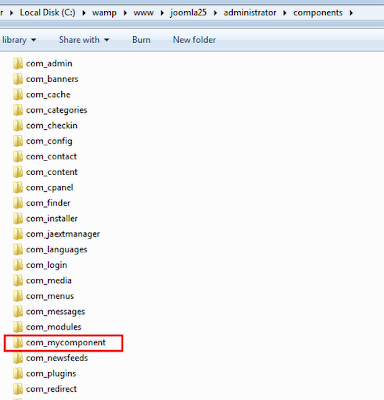
Create a folder for your component in Joomla administrator components directory.
Ex: root folder/administrator/components/com_mycomponent
Here "com_mycomponent" is our new component name.
Step 2:
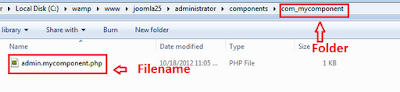
Create a file "admin.mycomponent.php" inside the "com_mycomponent" folder.
Here are the steps:
Step 1:
Create a folder for your component in Joomla administrator components directory.
Ex: root folder/administrator/components/com_mycomponent
Here "com_mycomponent" is our new component name.
Step 2:
Create a file "admin.mycomponent.php" inside the "com_mycomponent" folder.
Step 3:
Write the following code in the "admin.mycomponent.php" file.
<?php
defined( '_JEXEC' ) or die( 'Restricted access' );
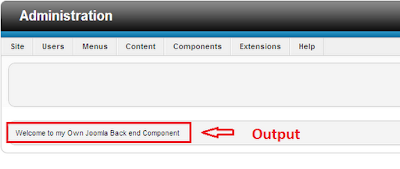
echo 'Welcome to my Own Joomla Back end Component';
?>
Step 4:
Test the above component by accessing
http://localhost/joomla25/administrator/index.php?option=com_mycomponent
The final output will be.,
Click Here to see my previous post, Create Front End Component in Joomla - Step by step procedure.
Comments · 3
Post a Comment